
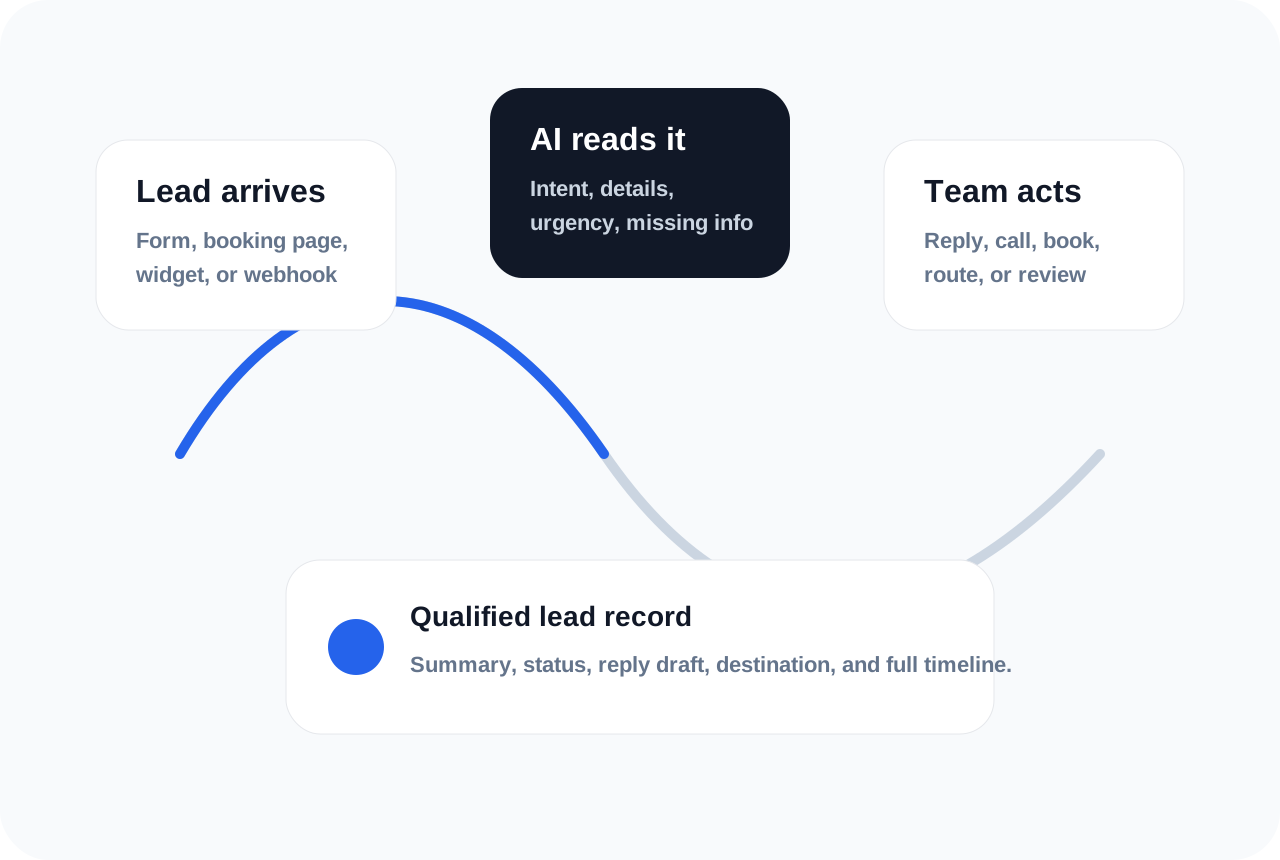
AI qualifies leads automatically by turning an unstructured customer message into structured information your team can act on. It reads the request, identifies what the person wants, checks for important details, and decides what should happen next.
The goal is not to make every decision without people. The goal is to make every lead easier to understand before a person reviews it.
A good automated qualification workflow feels like a calm first-pass assistant: it reads the message, organizes the facts, flags risk, and prepares the next step without making the team hunt through scattered tools.
Step 1: Capture the lead
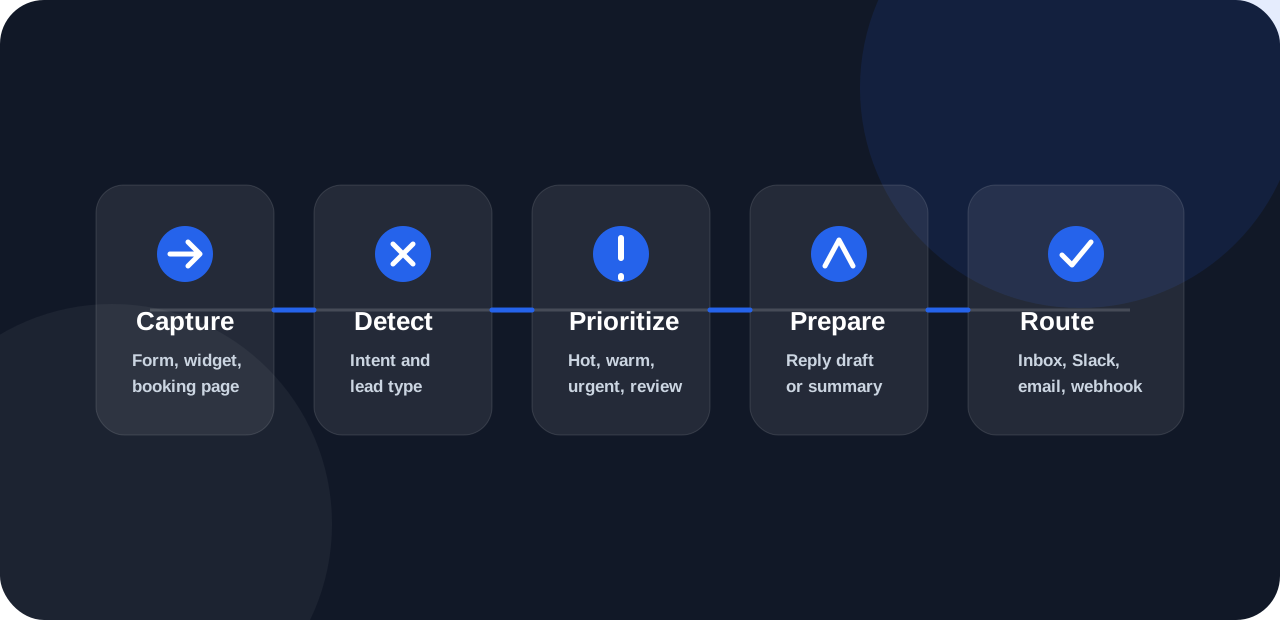
The lead can come from a website form, hosted form, booking page, chatbot-style widget, webhook, email import, or manual entry. AI qualification starts once the lead is saved as a request record.
Step 1.5: Normalize the request
Real customer messages arrive in different formats. One form may send separate fields for name, email, and service. Another may send one long message. A webhook may include structured data from a different platform.
Before AI can qualify the lead well, the system should normalize the request into a consistent record with source, contact details, message, timestamp, and workspace context.
Step 2: Detect intent
The AI reads the message and identifies whether the person wants pricing, a quote, a booking, a consultation, support, property details, restaurant information, or another kind of follow-up.
Intent detection matters because each request type needs a different response.
Step 3: Extract key details
The system can pull out details like name, phone number, service type, company, location, preferred appointment time, budget, urgency, project size, and requested next step.
Step 3.5: Match business rules
A lead may look good in general but still need your business rules. For example, a home service company may care about service area, a consultant may care about budget, and a clinic may care about appointment type.
The workflow should compare the lead against the rules that matter for your team, not a generic score that ignores your business.
Step 4: Find missing information
Good qualification does not only score the lead. It also finds what is missing. For example, a quote request may need an address, a booking request may need service duration, and a sales inquiry may need budget or timeline.
Step 5: Prepare the next action
The AI can recommend a status, prepare a reply draft, ask one missing-detail question, notify a team member, or send the data to another tool.
HuzAgent handles this flow inside its AI lead qualification software workflow and saves the result in one Inbox.
Step 6: Notify the right destination
A hot sales lead may go to email or Slack. A quote request may go to Google Sheets. A booking request may update a booking workflow. A support-style request may be marked for human review.
The notification should match the action. Sending everything everywhere creates noise. Sending the right lead to the right place creates speed.
Step 7: Save the timeline
- The lead record should show what came in, what the AI detected, what reply was prepared, who was notified, and what status was assigned.
- This history matters when a customer follows up later. Instead of searching through email threads or spreadsheets, the team can see the full qualification trail in one place.
Example output
- Intent: quote request.
- Priority: hot lead.
- Important details: roof repair, this week, wants a call today.
- Missing details: address and preferred call time.
- Next action: prepare a reply asking for address and availability, then notify the sales team.
How to improve accuracy over time
Review the first few dozen AI outputs and tune the business rules. If the AI marks too many leads as hot, tighten the criteria. If it misses important details, add examples. If replies sound too generic, adjust the response instructions.
AI lead qualification works best when the workflow learns from the way your team already qualifies good leads.
FAQs
Can AI qualify leads from any form?
Yes, if the form data can be sent into the system through a hosted form, widget, webhook, integration, or manual entry.
What happens when the lead is missing details?
The AI can flag the missing details and prepare a follow-up question for the customer.
Can the team review the AI result?
Yes. A strong setup keeps the AI output visible so humans can review, edit, approve, or send the next reply.