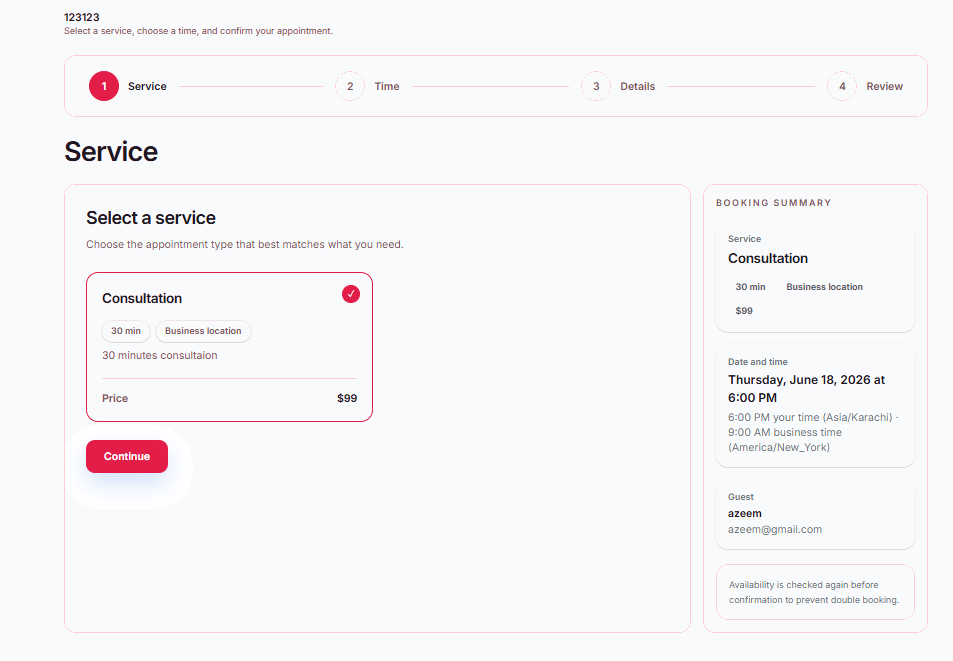
Select a service
Customers choose the appointment type that best matches what they need, with service duration, location, price, and summary visible before they continue.

Create a clean booking experience for services, available times, customer details, and appointment review. HuzAgent checks availability, captures the request, prepares the next reply, and keeps every booking organized.
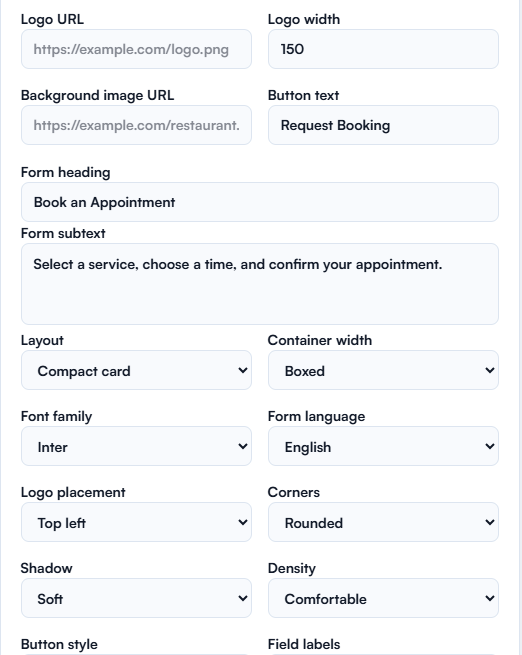
Select a service, choose a time, and confirm your appointment.
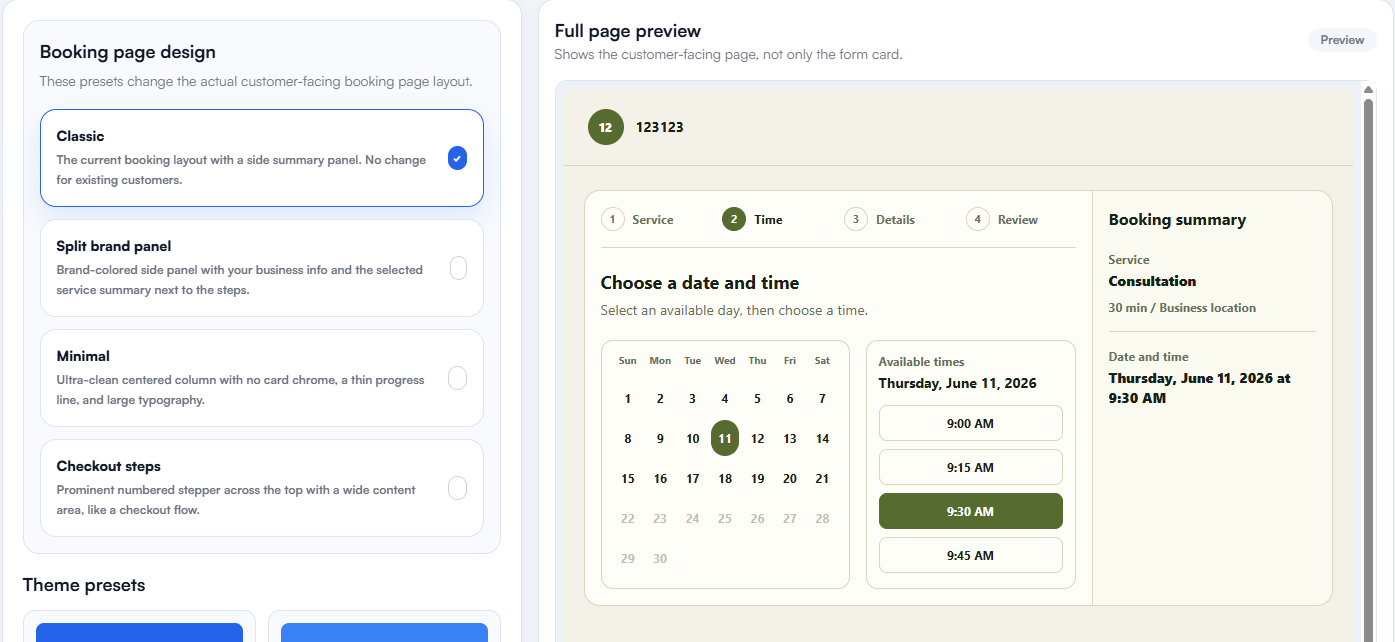
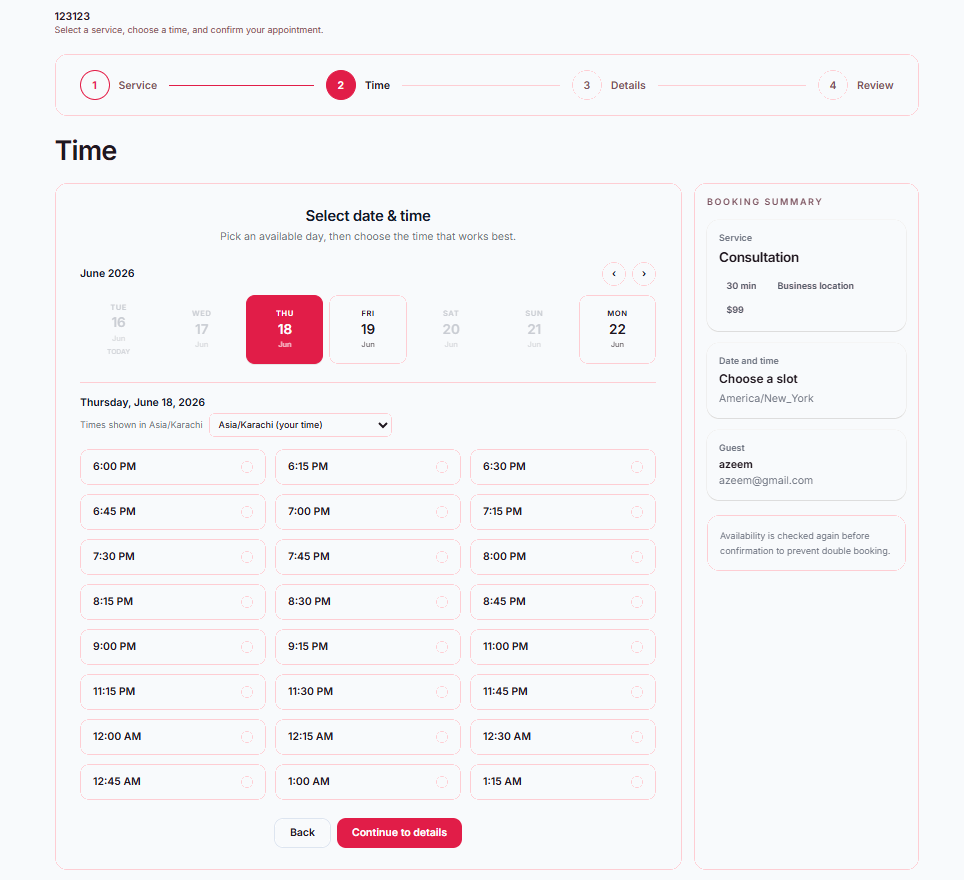
Pick an available day, then choose the time that works best.
HuzAgent reads the customer request, checks availability, prepares slot options, and keeps the reply draft with the booking details.
HuzAgent reads the appointment request, checks available times, and prepares the customer-ready next step.
This is a test booking request for 123123. The customer wants an appointment and is available at the selected time.
Customer Sarah Test wants to book a Consultation on June 19, 2026, at 10:00 AM.
Send the available slot options and let the customer choose the best time.
Track every confirmed booking, pending request, cancelled appointment, and blocked time slot without switching between multiple tools. Give your team a clear overview of daily activity, reduce scheduling errors, and keep customer appointments running smoothly with a calendar built for efficient workflow management.
Manage appointment bookings, blocked dates, and manual bookings without leaving this page.
Choose where availability is checked, sync confirmed appointments, create invites, and keep HuzAgent as the booking control center.
Choose where availability is checked and where confirmed appointments are created.
Manage availability and bookings inside HuzAgent only.
HuzAgent manages bookings, checks Google busy times, and syncs confirmed events.
Use Google Calendar availability and create events there automatically.
Connect Google Calendar to check external busy events and create confirmed appointments there. If it is not connected yet, HuzAgent Calendar still works and sync can be enabled later.
Each step is simple for the customer and structured enough for your team to act quickly.
Customers choose the appointment type that best matches what they need, with service duration, location, price, and summary visible before they continue.
Available dates, timezone context, and open time slots are shown clearly so customers can pick the right appointment time.
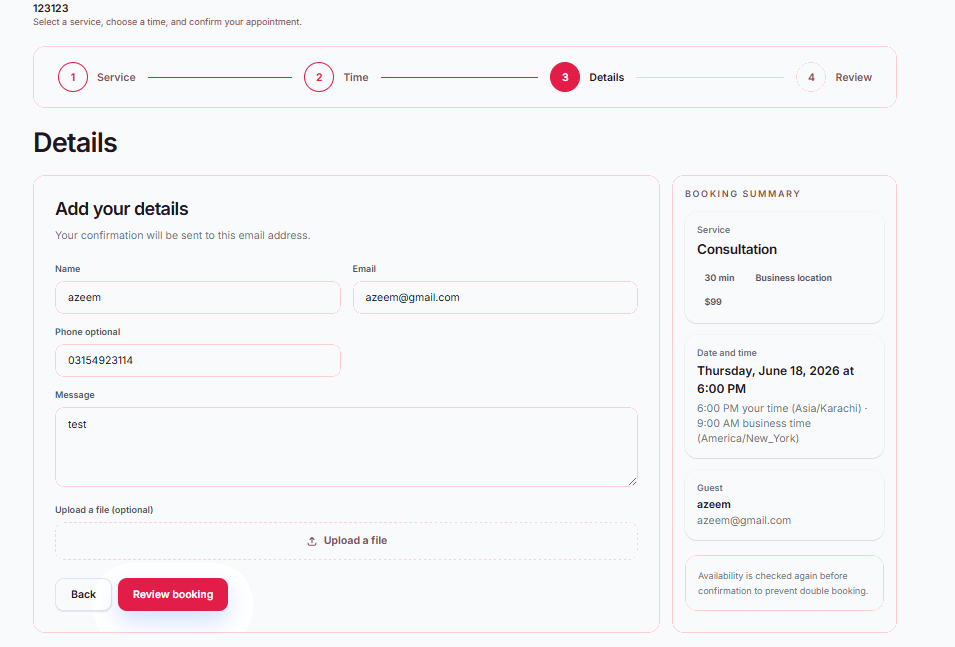
Name, email, phone, message, and optional upload fields collect everything your team needs for the booking record.
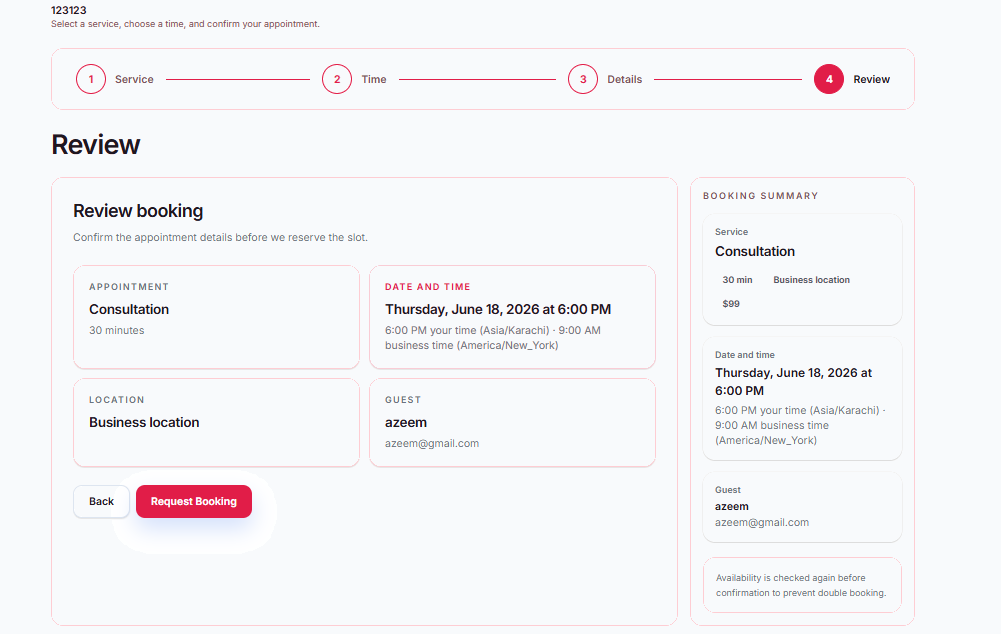
The final screen lets customers confirm the appointment, date, location, and guest details before submitting the booking request.
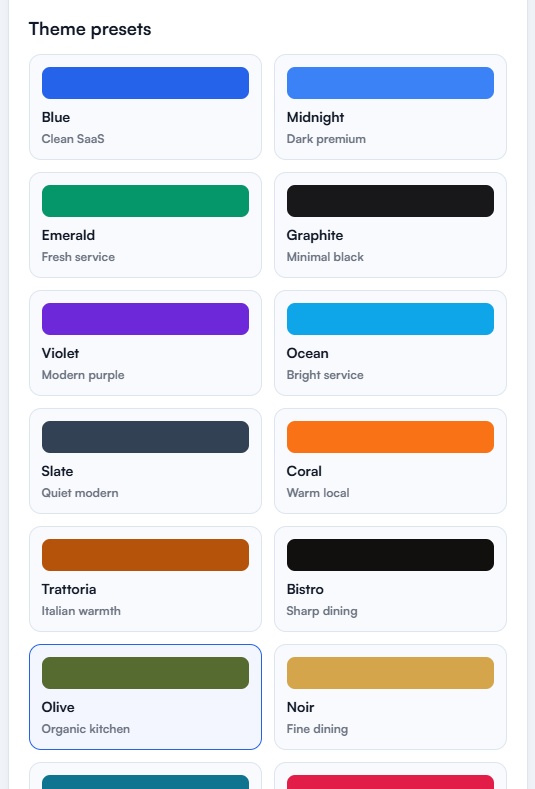
Choose a layout, switch theme presets, update form copy, adjust buttons, and preview the public booking experience before saving the design.
The designer keeps the setup simple while still giving teams control over the customer-facing booking page.